IPTV EPG Not Working? How to Fix Missing TV Guide on Firestick
Is your IPTV EPG not working on Firestick, Android TV, or another streaming device? A missing TV guide can make it diffi...
Read Article
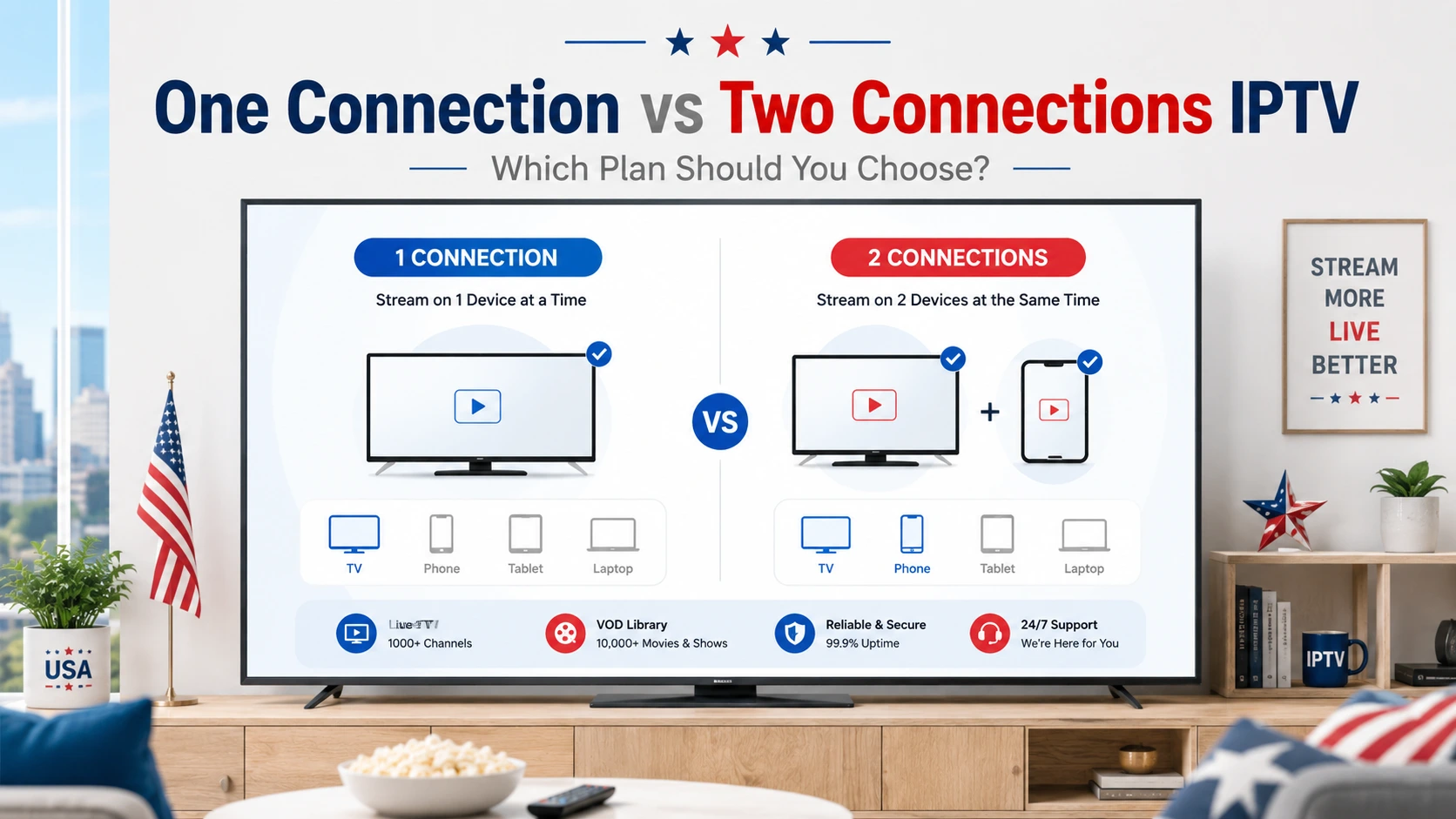
Choosing between one connection and two connections IPTV is an important step before subscribing. Many viewers in the USA use IPTV on different devices such as Smart TV, Firestick, Android TV, Android boxes, smartphones, tablets, laptops, and desktop computers. But the right plan depends on how many people will watch, how many devices you use, and whether you need more than one stream at the same time.
With IPTVcrowds, users can choose flexible IPTV subscription options depending on their device compatibility, viewing habits, and selected plan. A single connection can be enough for one person or one main device, while two connections can be more practical for families, couples, roommates, or users who want to watch on different devices at the same time.
This guide explains the difference between one connection and two connections IPTV, which option is better for your home, when to upgrade, what to check before subscribing, and how to avoid common streaming problems caused by using more connections than your plan allows.
If you are still comparing IPTV providers, you can also read our guide about how to choose a reliable IPTV service in the USA.
One IPTV connection usually means one active stream at a time. Two IPTV connections usually allow two active streams at the same time, depending on the selected plan and service conditions. If you watch alone on one main device, one connection may be enough. If two people want to watch on different devices at the same time, two connections are usually the better choice.
One connection IPTV means that the subscription is mainly used for one active stream at a time. For example, you may watch IPTV on your Smart TV, Firestick, Android TV, mobile, tablet, or laptop, but only one device should be streaming at the same time if your plan includes one connection.
This option is often suitable for:
A one-connection plan can be a good starting point if you want to test the service, check device compatibility, or use IPTV mainly on one device.
Two connections IPTV means that the subscription can support two active streams at the same time, depending on the selected plan. This is useful when two people in the same home want to watch different content on different devices at the same time.
For example, one person may watch sports on a Smart TV while another person watches movies or series on a tablet, Firestick, Android TV, laptop, or mobile device. This makes two connections more flexible for households with more than one viewer.
Two connections can be useful for:
The table below explains the main differences between one connection and two connections IPTV.
| Feature | One Connection IPTV | Two Connections IPTV |
|---|---|---|
| Best For | One person or one main device | Two viewers or two active devices |
| Simultaneous Streaming | Usually one active stream at a time | Usually two active streams at the same time |
| Household Use | Good for simple personal use | Better for families, couples, or roommates |
| Device Flexibility | Works well when you mainly use one device | More flexible for multiple rooms and devices |
| Streaming Problems | Problems may happen if more than one device streams at once | Reduces problems when two devices are used at the same time |
| Best Choice | Good for solo users | Good for shared home use |
The best IPTV plan depends on your daily viewing habits. Before choosing between one connection and two connections, think about how your household watches TV.
Choose one connection if:
Choose two connections if:
For users who watch IPTV on multiple devices, you can also read our IPTV USA multi-device streaming guide.
Connection limit is important because IPTV subscriptions are usually designed for a specific number of active streams. If your plan includes one connection and you try to watch on two devices at the same time, you may experience freezing, login errors, buffering, or interrupted playback.
This does not always mean the service is bad. Sometimes the problem happens because the subscription is being used beyond the number of allowed simultaneous connections.
To avoid this issue, make sure your plan matches your real viewing habits. If more than one person will watch at the same time, a two-connection option is usually more practical.
Here are some common examples to help you choose the right IPTV connection option.
| Situation | Recommended Option | Why |
|---|---|---|
| You live alone and watch on one Smart TV | One Connection | One active stream is usually enough for personal use. |
| You watch on Firestick in the living room and mobile only when the TV is not used | One Connection | You are switching devices, not streaming at the same time. |
| Two people watch different channels at the same time | Two Connections | Two active streams are needed for simultaneous viewing. |
| One person watches sports while another watches movies | Two Connections | Each person can watch different content on a different device. |
| You have IPTV in two rooms and both TVs may be used at once | Two Connections | This setup needs more flexibility. |
If you mainly watch IPTV on one Smart TV, one connection may be enough. This is a simple setup for users who want live TV, sports, movies, series, world news, kids content, or international entertainment on one large screen.
However, if someone else in your home wants to watch on another device at the same time, two connections may be better.
For more Smart TV setup details, read our guide about the best IPTV for Smart TV in USA.
Firestick is a popular device for IPTV because it is simple, portable, and practical for many viewers in the USA. If you only use one Firestick and one person watches at a time, one connection can be enough.
But if you have more than one Firestick or someone else wants to watch on another device at the same time, two connections are usually more suitable.
For Firestick setup help, read our guide about how to install IPTV on Firestick in 2026 with IPTVcrowds.
Two connections IPTV is often a better choice for families because not everyone wants to watch the same content at the same time. One person may want live sports, another may want movies, series, news, kids content, or international channels.
With two connections, the household has more flexibility. It can also reduce problems that happen when multiple people try to use a one-connection plan at the same time.
For family-related streaming tips, read our guide about safe streaming for kids, cartoons, movies, and series in the USA.
Many users ask if they can install IPTV on more than one device with one connection. In many cases, users may set up IPTV on different compatible devices, but one connection usually means only one active stream at a time.
For example, you may use IPTV on a Smart TV today and on a mobile device later, but streaming on both at the same time may cause problems if your plan only allows one connection.
Before using IPTV on multiple devices, always confirm the number of simultaneous connections included in your selected plan.
If two people try to watch at the same time on a one-connection plan, the service may freeze, disconnect, or stop loading correctly. In this case, the problem may not be your internet, device, or app. It may simply be that the plan does not match your household use.
Upgrading to two connections can help when your home needs two active streams at the same time. It gives your setup more room for normal daily use.
For more troubleshooting tips, read our guide about how to fix IPTV buffering and freezing in the USA.
Using two connections means your internet connection may need to support two streams at the same time. If your Wi-Fi is weak or your home network is overloaded, you may still experience buffering even with two connections.
To improve streaming quality:
Two connections help with simultaneous access, but a stable internet connection is still important for smooth streaming.
IPTVcrowds can be used across compatible devices depending on setup and selected plan. The best device depends on your home, your app preferences, and how many people will watch.
| Device | Good for One Connection? | Good for Two Connections? |
|---|---|---|
| Smart TV | Yes, for one main TV | Yes, with another compatible device in another room |
| Firestick | Yes, simple for one viewer | Yes, useful if using two Firestick devices or another device |
| Android TV / Android Box | Yes, flexible setup | Yes, good for multi-room viewing |
| Mobile / Tablet | Yes, good for portable viewing | Yes, useful as a second active device |
| Laptop / Desktop | Yes, useful for personal viewing | Yes, useful when another person watches on TV |
The content available depends on the selected IPTV package, device compatibility, region, app setup, and current channel list. Before subscribing, users should confirm what categories are included in their plan.
Depending on the selected package, viewers often look for:
For movies and series, read our guide about enjoying new movies and series with IPTVcrowds in the USA.
For sports fans, read our guide about the best IPTV for live soccer in the USA.
If you are new to IPTV, you can start by checking your main device, your internet connection, and your viewing habits. If you are the only viewer and you do not stream on multiple devices at the same time, one connection may be enough.
If your home has more than one viewer, or if two devices may be used at the same time, two connections can be the safer and more comfortable choice.
For users who want to test first, read our guide about how to get a free trial IPTV USA with IPTVcrowds.
Before choosing between one connection and two connections, ask these questions:
Clear answers will help you choose a plan that fits your home instead of paying for something that does not match your real needs.
IPTVcrowds can be a practical option for viewers in the USA who want a flexible IPTV subscription with setup guidance, device compatibility support, and fast servers designed to support smoother streaming.
IPTVcrowds focuses on:
For more details about choosing a subscription, read our article about the best choice for IPTV subscription in USA with IPTVcrowds.
IPTV technology itself is a way to deliver television content over the internet. Users should always choose services and content sources that respect applicable laws, broadcasting rights, and content ownership.
Be careful with providers that make unrealistic promises, hide their identity, provide no support, or give unclear conditions. A professional provider should be transparent about setup, support, service use, and package details.
For more details, read our guide: Is IPTV Legal? What You Need to Know Before Subscribing.
You may be able to install IPTV on more than one compatible device, but one connection usually means only one active stream at a time. If two devices stream at the same time, you may need two connections.
Yes, two connections can be better for families, couples, or roommates because two people can watch on different compatible devices at the same time, depending on the selected plan.
Yes. If your plan allows one connection and more than one device streams at the same time, you may experience freezing, login errors, buffering, or interrupted playback.
One connection IPTV can be a good choice for one person, one main device, or simple personal viewing. Two connections IPTV can be a better choice for families, couples, roommates, multi-room setups, or anyone who needs two active streams at the same time.
The best plan depends on your home, your devices, your internet connection, and your viewing habits. Before subscribing, confirm your device compatibility, number of connections, package details, support options, and trial availability.
At IPTVcrowds, we help users in the USA choose a simple IPTV setup that matches their devices and viewing needs. Whether you want one connection for personal use or two connections for more flexibility, our goal is to make the choice clear and easy.
For plan questions, connection options, setup help, trial availability, or subscription details, contact us on WhatsApp or email us at happitv049@gmail.com.
Visit our website for more details: iptvcrowds.com.
© IPTVcrowds. All rights reserved.