IPTV EPG Not Working? How to Fix Missing TV Guide on Firestick
Is your IPTV EPG not working on Firestick, Android TV, or another streaming device? A missing TV guide can make it diffi...
Read Article
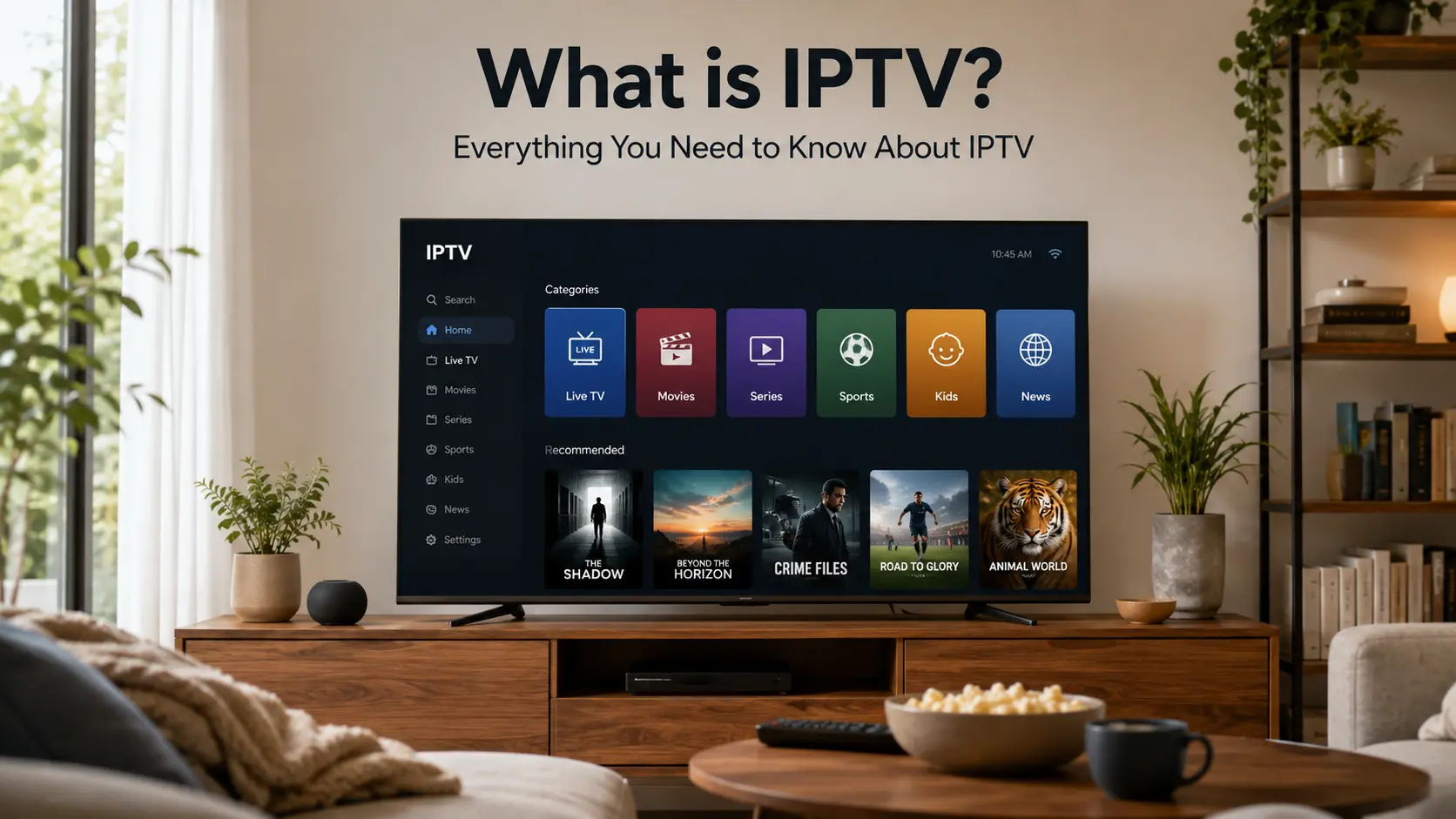
IPTV is one of the most common terms viewers see when looking for flexible ways to watch live TV, sports, movies, series, news, and international entertainment online. But many people still ask the same question before choosing a service: what is IPTV and how does it actually work?
IPTV stands for Internet Protocol Television. In simple terms, it is a way to deliver television-style content through an internet connection instead of using only traditional cable, satellite, or antenna systems.
With IPTVcrowds, viewers in the USA can enjoy a flexible IPTV setup across compatible devices such as Smart TV, Firestick, Android TV, Android boxes, smartphones, tablets, laptops, and desktop computers depending on device compatibility and the selected subscription plan.
This complete guide explains what IPTV means, how it works, how it compares with cable and regular streaming apps, which devices can be used, what to check before subscribing, and how to use IPTV responsibly.
IPTV means Internet Protocol Television. It uses internet technology to deliver TV-style content to compatible devices. Instead of receiving channels only through cable wires or satellite signals, IPTV uses an internet connection to load live TV, movies, series, news, sports, and other entertainment categories depending on the service and package.
The idea is simple: your device connects to the internet, an IPTV app or player loads your subscription details, and the available content appears inside the app when the setup is correct.
IPTV can be used on many popular devices, including Smart TVs, Firestick, Android TV devices, Android boxes, mobile phones, tablets, laptops, and desktop computers. The exact experience depends on the device, internet speed, app compatibility, server performance, and selected subscription plan.
IPTV works by sending video content through internet data. When a user selects a channel, movie, series, or category inside a compatible IPTV app, the device requests that stream through the internet and plays it on the screen.
A basic IPTV setup usually includes:
A good IPTV experience depends on all these parts working together. Even with a strong service, weak Wi-Fi, old devices, low storage, or incorrect app settings can create buffering or loading problems.
Many users compare IPTV with cable TV and regular streaming apps. Each option works differently, and the best choice depends on the user’s device, budget, viewing habits, and content needs.
| Option | How It Works | Best For |
|---|---|---|
| IPTV | Uses internet connection and a compatible IPTV app or player. | Users who want flexible access across different devices. |
| Cable TV | Uses a traditional cable provider and local equipment. | Users who prefer a familiar TV package through one provider. |
| Satellite TV | Uses a satellite dish and receiver equipment. | Users in areas where satellite service is practical. |
| Regular Streaming Apps | Uses official apps with their own libraries and subscriptions. | Users who want specific platforms, shows, or app-based content. |
IPTV can be attractive because it can combine live TV, sports, movies, series, news, and international channels in one setup depending on the selected package and available channel list.
For users comparing services, read our guide about how to choose a reliable IPTV service in the USA.
The available content depends on the IPTV subscription package, device compatibility, region, app setup, and channel list. Before choosing a plan, users should always confirm what categories are included.
Depending on the selected package, IPTV users often look for:
For movies and series, you can read our guide about enjoying new movies and series with IPTVcrowds in the USA.
For live news, read our article about watching world news live with IPTVcrowds in the USA.
For soccer fans, you can also read our guide about IPTV for live soccer in the USA.
One of the main advantages of IPTV is device flexibility. Users can watch on different devices depending on compatibility, app availability, internet quality, and subscription details.
A Smart TV is a practical option for users who want to watch IPTV directly on a large screen. App availability can depend on the TV brand, operating system, and app store.
Firestick is popular in the USA because it is easy to connect to a TV and works with many compatible IPTV apps. Users should keep enough free storage and use stable internet for better performance.
For setup help, read our guide about how to install IPTV on Firestick in 2026 with IPTVcrowds.
Android TV devices and Android boxes are flexible options for IPTV users. They can support many IPTV players and are useful for users who want more app control and device flexibility.
For Android setup, read our guide about how to stream USA channels on Android with IPTVcrowds.
Mobile phones, tablets, laptops, and desktop computers are useful for quick access, travel, testing login details, or watching away from the main TV. They can also help users test the subscription before setting it up on a larger screen.
You can also read our IPTV USA multi-device streaming guide to compare different device options.
Before starting with IPTV, make sure your setup is ready. This checklist can help reduce login errors, buffering, app problems, and device compatibility issues.
| Setup Area | What to Check | Why It Matters |
|---|---|---|
| Device | Smart TV, Firestick, Android TV, Android box, mobile, tablet, laptop, or desktop | Your device must be compatible with the recommended IPTV app or player. |
| Internet | Stable Wi-Fi, 5GHz Wi-Fi, Ethernet, or strong mobile data | A stable connection helps reduce buffering and freezing. |
| App | Compatible IPTV app or recommended player | The right app helps improve navigation, loading, and playback. |
| Login Details | Username, password, server URL, playlist, or setup details | Incorrect details can stop the subscription from loading correctly. |
| Support | Setup help, device guidance, and troubleshooting | Good support helps solve issues faster. |
An IPTV app or player is the software used to load and organize IPTV subscription details on a compatible device. The app itself does not always provide channels by default. It usually needs valid subscription information from a provider.
Some apps use username, password, and server URL. Others may use playlist details or another setup method. The correct method depends on the provider, device, and app.
IPTV Smarters Pro and similar players are commonly used by IPTV users. To learn more, read our guide about how to use IPTV Smarters Pro with IPTVcrowds in the USA.
Choosing the right IPTV subscription is important because not all services offer the same level of stability, support, device compatibility, and plan clarity. Users should avoid choosing only based on price or exaggerated promises.
Before subscribing, check:
For subscription guidance, read our blog about the best choice for IPTV subscription in USA with IPTVcrowds.
For many viewers in the USA, IPTV can be useful because it offers flexibility across different devices and entertainment categories. Users can build a setup that fits their home, family, device, and viewing habits.
Common IPTV benefits include:
For users who want a smoother streaming setup, read our guide about premium IPTV with fast servers in the USA.
IPTV can be convenient, but users should also understand possible problems before subscribing. Most issues can be reduced with a good device, stable internet, correct app setup, and support guidance.
| IPTV Advantage | Possible Problem | Best Solution |
|---|---|---|
| Flexible device support | Some devices may not support the recommended app. | Confirm compatibility before subscribing. |
| Live TV and sports | Weak internet can cause buffering during live events. | Use stable internet, 5GHz Wi-Fi, or Ethernet when possible. |
| Movies and series | Old devices may load slowly. | Keep apps updated and free storage space. |
| Multiple categories | Users may not know what is included. | Ask support to confirm package details before payment. |
| Easy app access | Incorrect login details can stop the app from loading. | Copy username, password, server URL, or playlist details carefully. |
Streaming quality depends on the provider infrastructure and the user’s home setup. A strong server can help, but the internet connection, device performance, app version, and Wi-Fi strength also matter.
To improve IPTV streaming quality, follow these tips:
IPTV technology itself can be legal. The legal question depends on whether the content is properly authorized, licensed, and distributed with the correct rights.
Users should always choose services and content sources that respect applicable laws, broadcasting rights, and content ownership. Be careful with providers that make unrealistic promises, hide their identity, provide no support, or give unclear refund conditions.
This information is general and is not legal advice. For more details, read our guide: Is IPTV Legal? What You Need to Know Before Subscribing.
Testing IPTV before choosing a longer plan can help users confirm device compatibility, app performance, streaming quality, and support response.
During a trial or short test option, check your main device, internet connection, app setup, live TV categories, movies, series, news, sports, and support quality if included in the selected package.
For more details, read our guide about how to get a free trial IPTV USA with IPTVcrowds.
Yes. IPTV needs an internet connection because it delivers content through internet data instead of only using cable or satellite signals.
Yes, IPTV can work on Firestick when the device is compatible, the correct app is installed, and the subscription details are entered properly.
Yes, IPTV can work on many Smart TVs depending on the TV brand, operating system, app store, and recommended IPTV player.
IPTV Smarters Pro is mainly a player app. The app itself does not automatically provide channels by default. Users need valid subscription details from a provider.
This depends on the plan and number of connections included in the subscription. Always confirm connection limits before subscribing.
IPTVcrowds can be a practical option for viewers in the USA who want a flexible IPTV setup, device guidance, fast servers, and support for popular streaming devices.
For IPTV users, IPTVcrowds focuses on:
Before subscribing, confirm device compatibility, recommended app, package details, number of connections, trial availability, and current plan options with support.
IPTV means Internet Protocol Television. It is a way to watch TV-style content through the internet on compatible devices. For USA viewers, IPTV can be a flexible option for live TV, sports, movies, series, news, kids content, and international entertainment depending on the selected subscription package.
The best IPTV experience depends on a complete setup: stable internet, compatible device, recommended app, clear subscription details, responsible service use, and good support. Before choosing a plan, take time to check your device, test when possible, and confirm what is included.
At IPTVcrowds, we are here to help users in the USA build a simple and reliable IPTV setup. Whether you want live TV, sports, movies, series, news, kids content, or international channels, our goal is to make IPTV setup easier and clearer.
For setup help, device compatibility questions, trial availability, or subscription details, feel free to reach out to us on WhatsApp or email us at happitv049@gmail.com.
Visit our website for more details: iptvcrowds.com.
© IPTVcrowds. All rights reserved.